
Resolve an approval
An approval is an explicit decision before dependent work continues. Pending approvals stay visible under Work and keep their work item in ACTIVE until you resolve them.
Before you start
- A workspace is open. Approvals are workspace-scoped.
- Read Memory and approvals for the decisions that create an approval and the difference from host permissions.
Steps
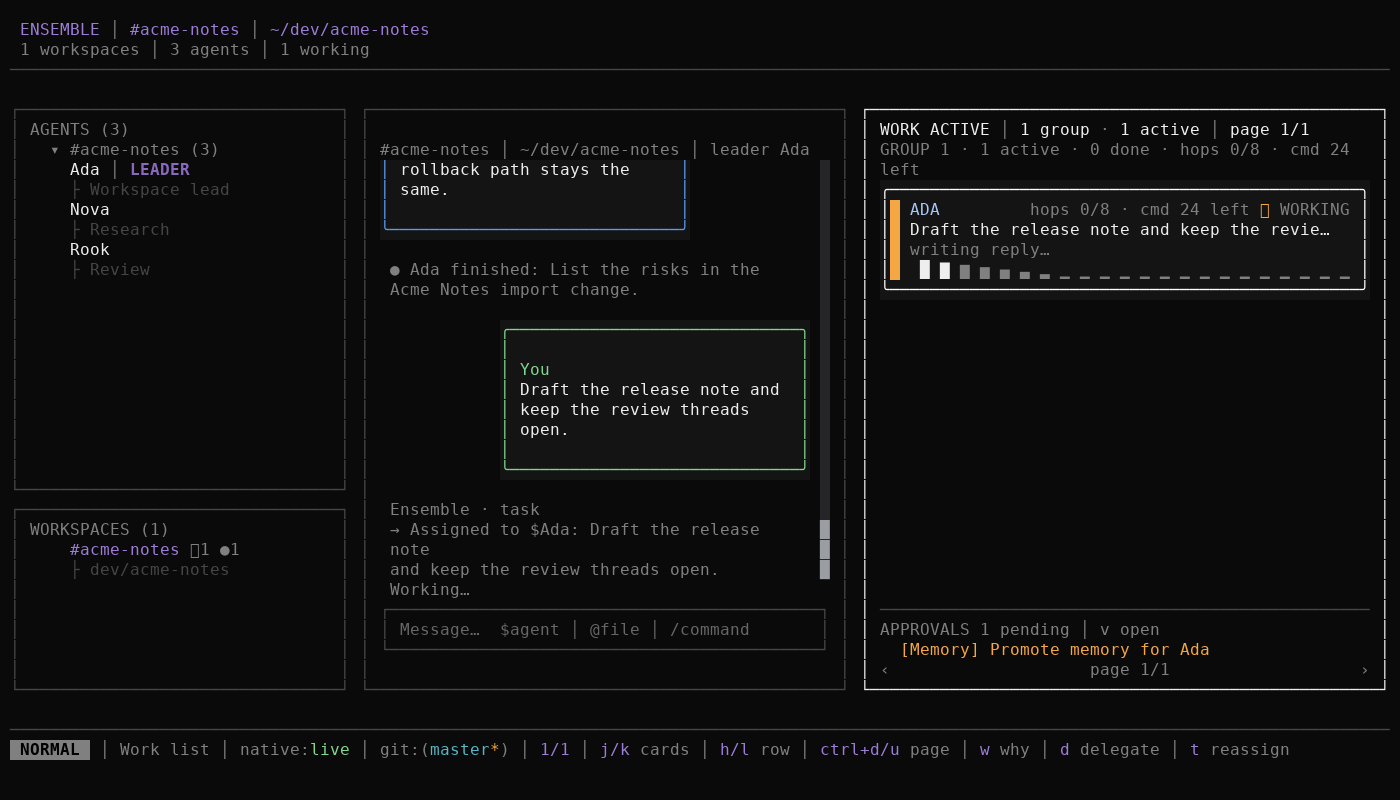
Look under the Work pane for the sticky summary. It reads
APPROVALS <n> pending, shows+N morewhen the window overflows, and offersv openorenter open.Press
vfrom any pane, orEnteron the summary, to open the full-height inbox. Work is replaced by the inbox. The header shows the pending count, your position,j/k move,enter resolve, andesc split.Move with
j/kand read the source tag and detail. The tag is Native, Agent, Workspace, or Memory. A related work item reads NEEDS YOU and stays in ACTIVE.Press
Enterto resolve the focused approval, then choose the decision:- Approve or Reject for a general request.
- Resume work or Discard for interrupted work. Resume continues the work once; discard marks it failed.
- Answer or Reject for an agent question. An answer requires text.
Confirm the choice. The row shows Resolving… while the decision is sent, then leaves the pending list. Recently resolved rows settle briefly before they disappear.
Press
Escto return from the full inbox to split view. The sticky summary reflects the remaining pending count.
Expected result
- The approval is recorded once with your decision.
- The related work resumes, continues with its answer, or settles as failed or rejected, and it no longer reads NEEDS YOU for that approval.
- The pending count decreases. An empty inbox reads
Nothing waits for you. - A second conflicting decision does not overwrite the first decision.
Troubleshooting
- An approval disappears without your decision. Cancelling, retrying, or reassigning the related work closes its stale approvals so an old decision cannot restart dead work.
- A conflicting decision fails. The first resolution is authoritative. Refresh the inbox instead of retrying the same decision.
- The inbox is empty in another workspace. Approvals never cross workspace boundaries.
- A native approval does not grant a tool permission permanently. Approving a native mirror replies for that host request. It cannot override OpenCode's own permission model. See Permission model review.
Next
- Use the Work pane: act on the work behind an approval.
- Manage memory: resolve a global-memory promotion.
- Memory and approvals: review approval kinds and scopes.
- Keyboard reference: exact approvals bindings.